
Intro: Your $100k Skill
Photography
Here’s why:
You’re a visual storyteller who’s drawn to nature and living things. Your photography niche could easily be garden photography, animal photography, nature photography, or creative portraits.
Lesson 1: Find what people are already asking on Reddit
You don’t have to guess what to post about. Go where people are already screaming for answers.
Open an AI and ask: “What do people on Reddit most ask about or have trouble with around ”taking better photos”
Take the top question. Then go to Reddit and search that exact question. You can find real posts from real people describing their pain.
Screenshot the pains you see, or write them down. Now you have a list of topics. Each topic is a blog post waiting to happen.
We already found stuff related to your skill:
“Do I need a website or portfolio?”
“What gear do I actually need?”
“What gear do I need for nature photography?”
“How much should I charge for a session?”
“How do I build a portfolio for a niche?”
“How do I stand out in a saturated market?”
“How do I network as a photographer?”
“How do I make plant and animal photos more interesting?”
“How do I take good photos at a sunken gardens?”
“How do I get more visibility?”
Lesson 2: Record your answer instead of writing it from scratch
Now it’s time to make the first draft of your post. If your thinking “but I don’t know how to make videos” right now, don’t worry. You don’t need to be a social media star. You just need to do a little talking.
Videos must be quality get attention, but you don’t need Hollywood equipment.
Pick one of your post topics from Reddit. Open CapCut or your phone’s camera and use vertical mode. Record yourself giving great answers and solutions. Keep it under 60 seconds. Edit lightly and add captions if you want. Post to TikTok or YouTube Shorts. Then repeat.
Over time, your only goal is to make each video slightly better than the last.
Lesson 3: Market Yourself
Next, you’ll need to keep posting these short videos related to the topics around your skill. Then, post the videos organically on YouTube Shorts and TikTok.
Make at least 30 of these videos. Of your 30 TikToks/Shorts related to the book, some of them will get significantly more views or engagement than the others. This doesn’t mean that the videos are viral at all. They just have to perform at least 2x or 3x better than my average video. All you need is something that performed better than your average.
Average views:
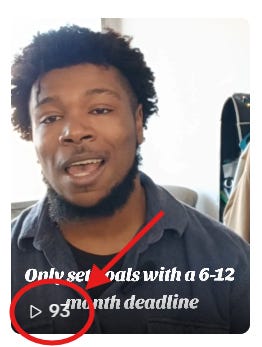
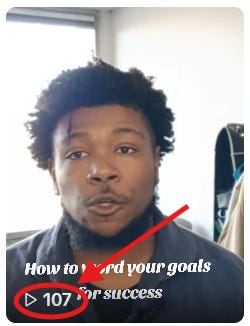
Better than average views:
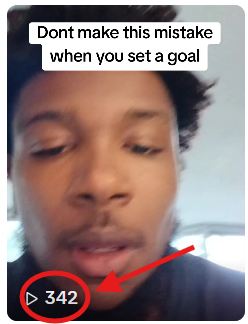
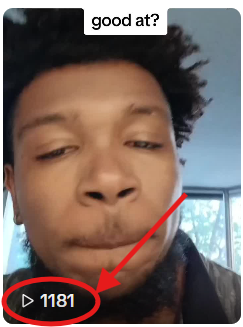
There are some different options for marketing your product or service. You can send cold emails. You can also cold call. But those take time, energy, and frustration. If you already have a full time or part time job, you might not have the time and energy after work that’s required to do cold calls and emails consistently.
If you want a more efficient way to delegate the marketing, run ads. If you don’t know how to run an ad online or haven’t done this before, don’t worry. I’ll explain how to setup your first social media ad in the steps below:
Download your higher performing videos from TikTok.
Post the same videos again on Facebook. But instead of posting them organically, make each post into an ad by pushing “Boost Post”.
The “title” of the post should talk about whatever you’re offering in the ad. So if you’re offering a cookbook with over 100 recipes, the title should say something like “Get my 100+ recipe cookbook”.
Finally, add a “learn more” or “click here” button to your ad that sends people to your product or service.
To start, set your budget to $5/day for 7 days. The first 7 days is just to see if the ad works well enough to put more money into. For the audience, just let Facebook pick it for you.
After a week, look at the results. If the ad made you money or broke even, run it again. If it lost money, tweak the headline or try a different video.
My first mistake with the Facebook ads was putting all of my money behind the one video that got the most engagement organically. I thought that just because people loved the video, it had to lead to sales. And I bet everything on this.
Don’t be like me. Don’t bet on one video that you haven’t tested yet. Even a video that did well organically can flop when you put money behind it.
Bonus Lesson - Give People Free Stuff First
A problem I personally came across was that people clicked my ads, but they never bought my product or service after they looked at it. The biggest reason was that people don’t feel safe buying from a person or brand they don’t know is credible. And on Facebook, I was an unknown guy with no following and no reviews from someone who had already bought from me.
I needed a way for the people who clicked on my ad to know I was credible and could actually produce results around my skill. I needed them to feel safe that they’d get their money’s worth if they bought from me. To do this, I stopped advertising my paid products and services. Instead, I started offering people free stuff that leads to my products and services.
For example, I sell an e-book on Amazon that teaches people to set their goals in a way that guarantees they’ll reach the finish line instead of giving up early. It sells for $4.99. However, I took one of the chapters from the book and made it into a 7 page pdf. On the last page of the pdf, I added a message that says “Want more tips on the best way to hit your goal? Get the full book”. Below that, I added a button that says “Click Here for More Goal Tips”. It links to my book on Amazon. Since the pdf is so much shorter than the book, I’m willing to give it away for free.
Now, instead of making ads that talk about the book for $4.99, I make ads that talk about(and send people to) the free pdf. The pdf is short, so it’s easy for people to consume. Best of all, it gives people a valuable snippet of the info they’d get in the paid book. So if they get to the end of the pdf, see I’m competent, and want more, they’ll be a lot more likely to buy the book without feeling risk.
Here’s an idea for something you could give away for free around your skill:
The Photographer’s Pricing Guide: How to Charge What You’re Worth
Description:
You love photography. You hate figuring out what to charge.
This guide helps you:
Calculate your true costs and desired profit
Set prices for sessions, prints, and products
Handle client negotiations with confidence
Raise your prices without losing clients
What’s Inside:
A pricing formula for any type of photography
Sample pricing sheets for different niches
A client consultation script
A list of common pricing mistakes to avoid
Call to Action: “Get the Guide”
In case you have no idea how to make a pricing calculator, try copy and pasting the instructions below into an AI app like Chat GPT:
Hey AI, I need a Google Sheets template for a photography pricing calculator. Please create one with the following sections, columns, dropdowns, and formulas:
Summary section at the top
Client / Job name
Shoot type
Total shooting hours
Total editing hours
Total expenses
Total job cost
Recommended price
Final quote
Main calculator columns
Job name / client name
Shoot type dropdown: portrait, wedding, event, product, real estate, family, commercial, other
Shoot date
Location
Number of shooting hours
Photographer hourly rate
Shooting labor cost — calculated automatically: shooting hours x hourly rate
Number of edited photos
Editing time per photo in minutes
Total editing hours — calculated automatically
Editing rate per hour
Editing labor cost — calculated automatically
Assistant / second shooter cost
Travel miles
Mileage rate
Travel cost — calculated automatically
Equipment / rental cost
Props / studio / location fees
Printing / album / delivery costs
Other expenses
Total expenses — calculated automatically
Total job cost — calculated automatically: shooting labor + editing labor + all expenses
Overhead percentage — default 15%
Profit margin percentage — default 30%
Recommended price — calculated automatically using job cost + overhead + profit
Deposit required — calculated automatically, default 50%
Remaining balance — calculated automatically
Final quote — formatted as a clean text block the photographer can copy and send to the client
Please format the sheet so it looks clean, professional, and easy for a photographer to use. Use bold headers, currency formatting, dropdown menus, and protected formula cells if possible.
Also add a note at the bottom explaining how to use the calculator:
Enter the client and shoot details.
Add shooting hours, editing time, and rates.
Add expenses like travel, rentals, assistants, prints, or studio fees.
The sheet will calculate total cost, overhead, profit, recommended price, deposit, and remaining balance.
Copy the final quote and send it to the client.
For the Guide
The video you saw that led you to this assessment was a “lead form”. If you’d like to offer someone that pricing guide in exchange for their email so that you can follow up with them, choose the target to find leads when you’re boosting your Facebook posts. And setup a lead form just asking for someone’s email in exchange for access to the guide. Keep it simple and just ask for email, not even name.
When people sign up for the pricing guide…
When using Facebook’s lead forms to advertise, you have the option to leave a message or link on the last page. I tend to leave PDF downloads in my last page as a reward for people who made it through the questions.
In your case, I would suggest leaving a link on the last page that goes to a Calendly signup page(just search “what is Calendly” on YouTube if you don’t know what that is). Meet with anyone who signs up for 30 minutes. During the call, get to know their photography problems. And at the end offer them a customized solution to their problem plus paid consulting if they need any future help.