
Intro: Your $100k Skill
Driving & Parenting
Here’s why:
You’re a natural caregiver with a trucking skills. Parenting fuels you. Driving keeps you focused. And following directions tells me you can follow a system. That’s a rare combination.
Most parents who drive for work feel guilty. They worry they’re missing out. They struggle to stay connected. That's where you come in. You don’t have to. You’re built for both.
What’s ahead:
Lesson 1: Find what people are already asking on Reddit
Lesson 2: Record your answer instead of writing it from scratch
Lesson 3: Market Yourself
Bonus Lesson - Give People Free Stuff First
Something You Could Give Away For Free
Lesson 1: Find what people are already asking on Reddit
Stop guessing what to talk about. Go where people are already screaming for answers.
Open an AI and ask: “What do people on Reddit most ask about or have trouble with around parenting while driving for work, staying connected with kids on the road, or balancing family and trucking?”
Take the top question. Go to Reddit and search that exact phrase. You’ll find real posts from real people describing their pain. Screenshot those pains or write them down. Now you’ve got a list of topics.
We already found stuff related to your skill:
“How do I stay connected with my kids when I’m on the road?”
“How do I balance parenting and truck driving?”
“How do I handle guilt from being away from my kids?”
“What are good ways to video call with kids on the road?”
“How do I keep my kids entertained when I’m not home?”
“How do I stay involved in my kids’ daily life from afar?”
“What are simple routines that work for parents on the road?”
“How do I talk to my kids about being away?”
“How do I make the most of the time I do have at home?”
“How do I find childcare that works with my schedule?”
Don’t miss our July offer. Unlock everything on our site for 40%, and get a free bonus when you do⬇️
Lesson 2: Record your answer instead of writing it from scratch
Now it’s time to make the first draft of your post. If your thinking “but I don’t know how to make videos” right now, don’t worry. You don’t need to be a social media star. You just need to do a little talking.
Videos must be quality get attention, but you don’t need Hollywood equipment.
Pick one of your post topics from Reddit. Open CapCut or your phone’s camera and use vertical mode. Record yourself giving great answers and solutions. Keep it under 60 seconds. Edit lightly and add captions if you want. Post to TikTok or YouTube Shorts. Then repeat.
Over time, your only goal is to make each video slightly better than the last.
Lesson 3: Market Yourself
Next, you’ll need to keep posting these short videos related to the topics around your skill. Then, post the videos organically on YouTube Shorts and TikTok.
Make at least 30 of these videos. Of your 30 TikToks/Shorts related to the book, some of them will get significantly more views or engagement than the others. This doesn’t mean that the videos are viral at all. They just have to perform at least 2x or 3x better than my average video. All you need is something that performed better than your average.
Average views:
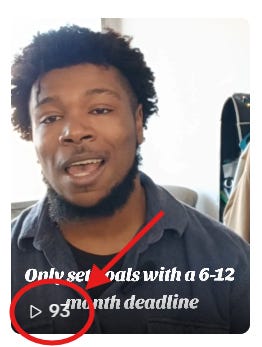
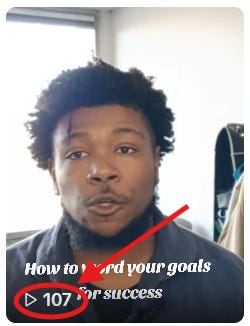
Better than average views:
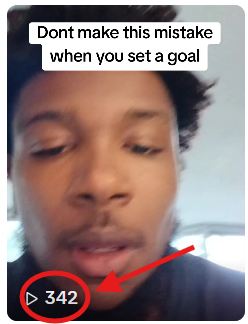
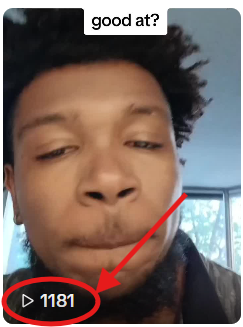
There are some different options for marketing your product or service. You can send cold emails. You can also cold call. But those take time, energy, and frustration. If you already have a full time or part time job, you might not have the time and energy after work that’s required to do cold calls and emails consistently.
If you want a more efficient way to delegate the marketing, run ads. If you don’t know how to run an ad online or haven’t done this before, don’t worry. I’ll explain how to setup your first social media ad in the steps below:
Download your higher performing videos from TikTok.
Post the same videos again on Facebook. But instead of posting them organically, make each post into an ad by pushing “Boost Post”.
The “title” of the post should talk about whatever you’re offering in the ad. So if you’re offering a cookbook with over 100 recipes, the title should say something like “Get my 100+ recipe cookbook”.
Finally, add a “learn more” or “click here” button to your ad that sends people to your product or service.
To start, set your budget to $5/day for 7 days. The first 7 days is just to see if the ad works well enough to put more money into. For the audience, just let Facebook pick it for you.
After a week, look at the results. If the ad made you money or broke even, run it again. If it lost money, tweak the headline or try a different video.
My first mistake with the Facebook ads was putting all of my money behind the one video that got the most engagement organically. I thought that just because people loved the video, it had to lead to sales. And I bet everything on this.
Don’t be like me. Don’t bet on one video that you haven’t tested yet. Even a video that did well organically can flop when you put money behind it.
Bonus Lesson - Give People Free Stuff First
A problem I personally came across was that people clicked my ads, but they never bought my product or service after they looked at it. The biggest reason was that people don’t feel safe buying from a person or brand they don’t know is credible. And on Facebook, I was an unknown guy with no following and no reviews from someone who had already bought from me.
I needed a way for the people who clicked on my ad to know I was credible and could actually produce results around my skill. I needed them to feel safe that they’d get their money’s worth if they bought from me. To do this, I stopped advertising my paid products and services. Instead, I started offering people free stuff that leads to my products and services.
For example, I sell an e-book on Amazon that teaches people to set their goals in a way that guarantees they’ll reach the finish line instead of giving up early. It sells for $4.99. However, I took one of the chapters from the book and made it into a 7 page pdf. On the last page of the pdf, I added a message that says “Want more tips on the best way to hit your goal? Get the full book”. Below that, I added a button that says “Click Here for More Goal Tips”. It links to my book on Amazon. Since the pdf is so much shorter than the book, I’m willing to give it away for free.
Now, instead of making ads that talk about the book for $4.99, I make ads that talk about(and send people to) the free pdf. The pdf is short, so it’s easy for people to consume. Best of all, it gives people a valuable snippet of the info they’d get in the paid book. So if they get to the end of the pdf, see I’m competent, and want more, they’ll be a lot more likely to buy the book without feeling risk.
Here’s an idea for something you could give away for free around your skill:
The Road Ready Parent’s Guide.
This is a short PDF that helps parents who drive for work stay connected with their kids, manage schedules, and keep everyone sane while they’re away on the road. It covers communication tips, activity ideas, and simple routines that work for a parent on the road.
Description:
You love your kids. You love providing for them. But being away on the road makes you feel disconnected. This guide fixes that.
This PDF gives you:
Simple communication tips that keep you connected with your kids.
Activity ideas that work while you’re on the road.
Routines that help you stay involved even when you’re not home.
A framework for making the most of the time you do have.
What’s Inside:
5 communication tips for staying connected.
10 activity ideas for parents on the road.
A simple routine template for balancing driving and parenting.
A checklist for staying involved in your kids’ daily life.
Call to Action: “Get the Guide”
How they pay:
You give away the PDF entirely for free. Right there in the free guide, they’ll see the first tip work immediately. At the bottom of that free guide, you put a button that says “Want a personalized 30 minute coaching call to build a custom plan for balancing parenting and driving?” They click that and pay a one time fee of $67 for the call. No recurring charges. No hidden costs. They only pay after the free guide shows them you know what you’re talking about. If the free tips don’t help them, they won’t book the call. But if they do, they’ll gladly pay for more.
Lesson 5: Start with blog posts
Use this template for your own writing:
Intro – Describe the problem, the solution, and what they’ll know by the end.
Step or Lesson 1 – Insert your first lesson.
Step or Lesson 2 – Insert your second lesson.
Step or Lesson 3 – Insert your third lesson.
Step or Lesson 4 – Insert your fourth lesson.
Step or Lesson 5 – Insert your fifth lesson.
Instead of writing the posts from scratch, save time. Go to ChatGPT and choose the option to speak your answer rather than type it. Record yourself speaking through an answer for each bullet point in your guide’s description. Then ask the AI to “please make a blog post out of my transcript following the outline I added.” Copy and paste the outline above into the same chat.
That gives you a rough draft. Edit it to sound like you. Make sure it relays the correct information. Once you’re happy, add a picture from Google or Canva and post it on LinkedIn as an article. You can also use Medium.com or Twitter/X.
Do this for each point in your guide’s description. Posting these on social media helps you see what people like best. Then take your best posts, copy the text into a Google Doc, and save it as a PDF. That PDF is what you can offer people for free.
When people sign up for your guide...
When you use Facebook’s lead forms, you have the option to leave a message or link on the last page. I suggest leaving a link that goes to a Calendly signup page. Meet with anyone who signs up for 30 minutes. Get to know their parenting on the road challenges. At the end, offer them a customized solution plus paid coaching if they need future help.
Don’t miss our July offer. Unlock everything on our site for 40%, and get a free bonus when you do⬇️